Saturday, August 17, 2013
Online Play Lag Issue
The current version is using P2P communication.
And I realize there can be a significant lag if one entity network speed (ping time) is slow.
I'm trying to adopt a different technique (move prediction) to address this issue.
Please stand by...

Monday, August 12, 2013
Released Google+ Online Battle!
Hi, I've released online battle feature through Google Play Service today!
Please make sure to use WIFI connection for the best performance.
It's working even through Phone Carrier's network such as Verizon or ATT but from my testing, it was really slow.
In online battle, you can choose to play against "auto selected" player or a friend in Google+ circle through invitation.
Note: unless they both link in Google+ circle, you won't get notified when other player sends an invitation.
Monday, July 22, 2013
Next Update - Network Play
Hi, I'm back :) and currently working on CPS2HD netplay features.
I'll be using Google Play Service API and will match players through Google+ account.
So, get ready for the next update and please join the room to play with others.
Sunday, August 28, 2011
v4.0.0 Update
* v4.0.0 update
1. Better touch control and Honeycomb support (fix multitouch crash and network play issue).
2. Select Limit option under frameskip menu if game runs too fast.
3. Resize and position the game screen anywhere on the screen.
4. Resize and drag/drop the UI control icons anywhere on the screen.
5. Overlap two (or more) UI control icons to perform one-touch multi-buttons.
And cleaned up unnecessary menus.
* i will have a donator version ready in couple days and will notify through email :)
1. Better touch control and Honeycomb support (fix multitouch crash and network play issue).
2. Select Limit option under frameskip menu if game runs too fast.
3. Resize and position the game screen anywhere on the screen.
4. Resize and drag/drop the UI control icons anywhere on the screen.
5. Overlap two (or more) UI control icons to perform one-touch multi-buttons.
And cleaned up unnecessary menus.
* i will have a donator version ready in couple days and will notify through email :)
Monday, November 1, 2010
UI design
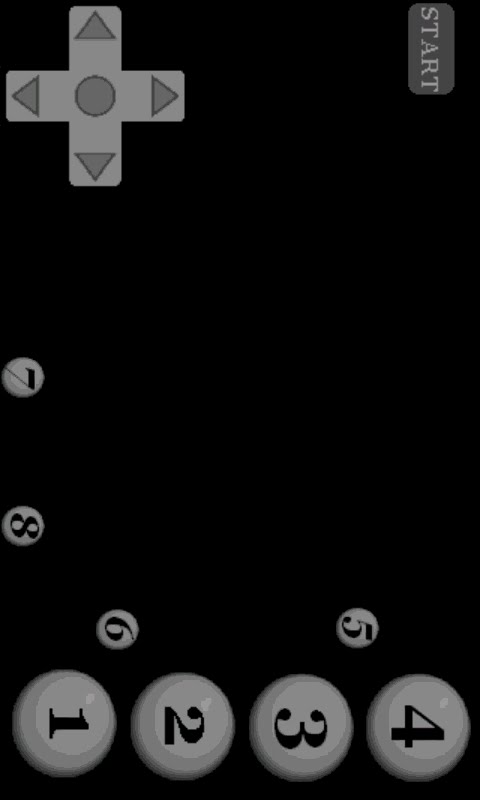
Hi, I'm getting a mix feedback from different users on the new UI design.
Some folks like it very much but some doesn't like it at all... :(
Besides UI skin, if you have a better idea on layout or functionality, please post it here!
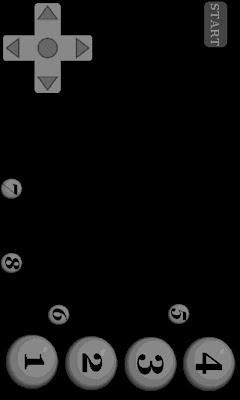
Some folks like it very much but some doesn't like it at all... :(
Besides UI skin, if you have a better idea on layout or functionality, please post it here!
Tuesday, October 26, 2010
ver 3.5.0 donator version
3.5.0 donator version got sent out today!
If you're a donator but didn't receive an email from me, please send me an email with your name and donation account (paypal or google) to verify.
For next release, I'll try to send it out to the donator list first, then get some feedback before releasing to the market.
If you're a donator but didn't receive an email from me, please send me an email with your name and donation account (paypal or google) to verify.
For next release, I'll try to send it out to the donator list first, then get some feedback before releasing to the market.
Friday, October 22, 2010
ver3.5.0 update
** Donation version update will also get sent out in ~3 days.
-Add new UI control skin
-Add touch button mapping
* you can change the button mapping in the option.
* if you want the old style UI, please select "onScreen Control UI" to Classic and "Screen Resolution" to Full Screen.
=========================
If you want to change or have a better idea on UI design, please comment at here :)
-Add new UI control skin
-Add touch button mapping
* you can change the button mapping in the option.
* if you want the old style UI, please select "onScreen Control UI" to Classic and "Screen Resolution" to Full Screen.
=========================
If you want to change or have a better idea on UI design, please comment at here :)
Subscribe to:
Posts (Atom)